Interactive tool · Alpha
Drybench Virtual Wet Lab.
See where each transfer goes. Rehearse a preparation on an interactive bench, inspect the material ledger and compare changes against your original plan.
Example data: Synthetic three-column dilution. Illustrative exact-transfer example, model 1.0.0.
- Free to use
- Runs in your browser
- Transparent methods
Illustration · Explore the real workspace below
See the tools at work.
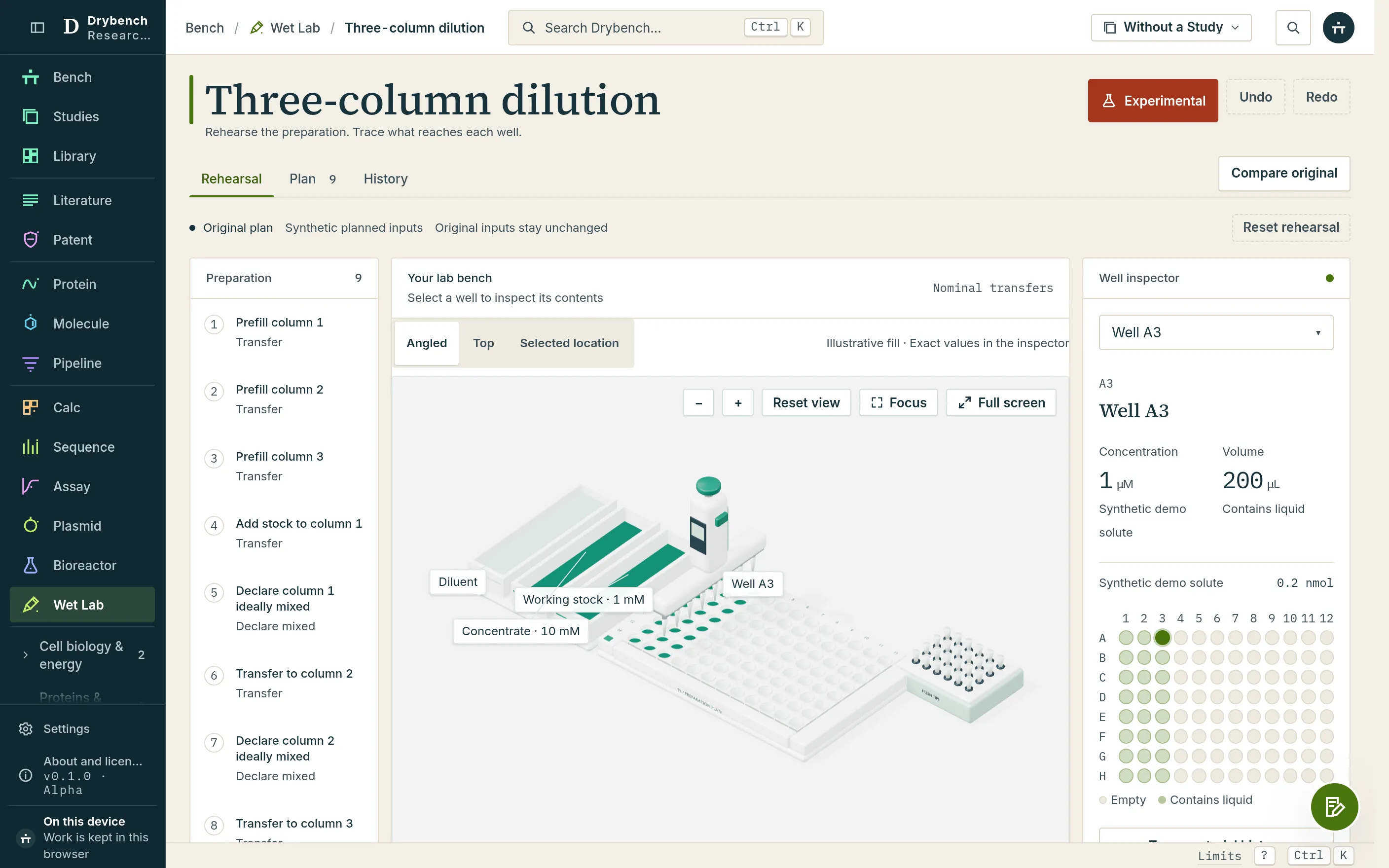
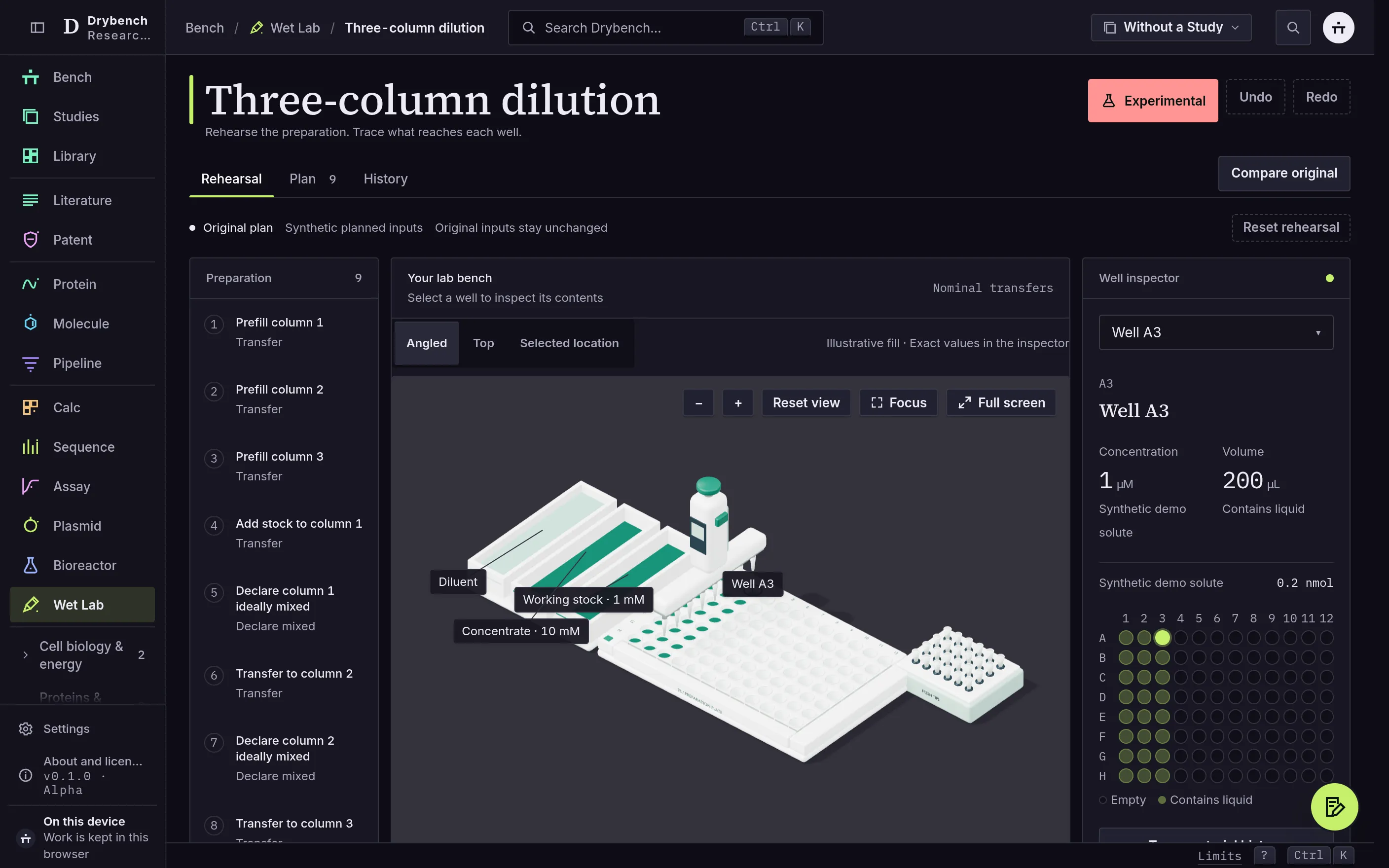
The three-dimensional scene and its Blender-authored model load only in the workspace; the scientific ledger does not depend on WebGL.
What you can do with it
A bench you can inspect
Select a well in the three-dimensional scene and read its exact quantities in the well inspector.
Changes with a reference
Compare the edited preparation with the original at their calculated end states, with changed wells identified.
Clear transfer checks
An overdrawn source, overfilled destination or unsupported instrument action stops at the last accepted state.
Material history
Trace nominal material origins separately from possible contact through reused tips.
Your existing preparation
Bring a supported serial-dilution recipe from the calculators and declare its physical setup.
A plan to return to
Save the original and edited preparation together as a private protocol or versioned project file.
See the evidence behind the answer.
Explore the methods and sources behind the tools.
Read the methodsWhere every panel's data comes from
Transfer reference and synthetic preparation
Transfer reference and synthetic preparationOur own contentDeclared ideal-transfer equations, a synthetic dilution example and a separately implemented exact-arithmetic reference.
Model 1.0.0; synthetic inputs are illustrative, not measured laboratory data.
Where it runs and what it sends
This app declares no external public data hosts.
Anything in the address bar before the # (a search, a SMILES, an accession or a step) is sent to this site's host when a page loads or a link is opened; anything after the # is not sent.
Built for research and education. The tools have not been validated for regulated use. Read the regulatory position
Make your next step a practical one.
Open the app and explore the example.